


A PA, or Public Address System, is used in large commercial spaces like schools, hospitals, shopping malls, and government organizations to make clear announcements. It is a collection of devices such as speakers and microphones used to produce loud and high-clarity audio for communicating with a large audience at once. However, even a premium-grade system may produce distortions and unclear speech if the components don’t match.
To avoid such issues, you will have to carefully source every component for best compatibility. This blog explains how you can prevent distortions in a Multi-Zone PA system to maximize high-quality audio output.
What is a Multi-Zone PA System?
A multi-zone PA system is used to make announcements in separate areas or zones in a building. It divides a single building or complex into multiple zones to broadcast the relevant announcements for specific groups of people. For this purpose, the system has to be configured so that with a single click, the audio is diverted to all the speakers or a specific set of speakers in a zone.
This PA system is most commonly used in commercial and industrial spaces like shopping malls and factories for the staff to make announcements to one area or several areas.
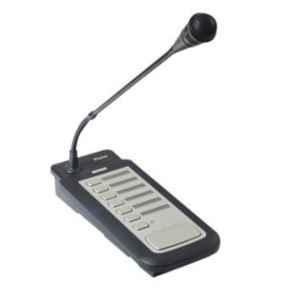
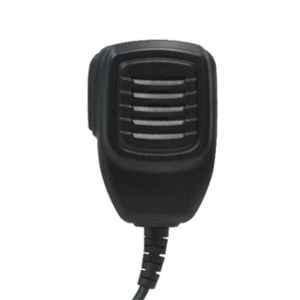
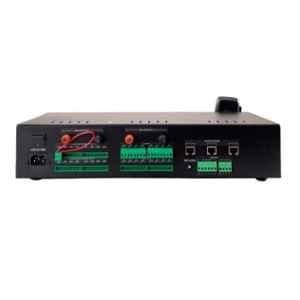
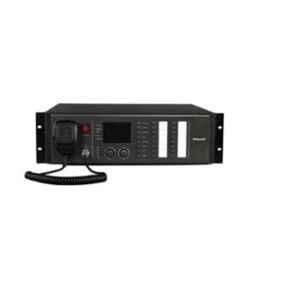
A multi-zone system includes:
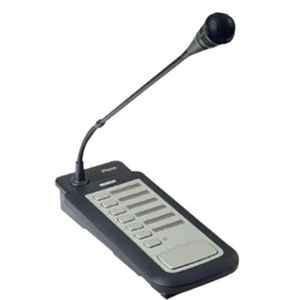
- Paging microphone
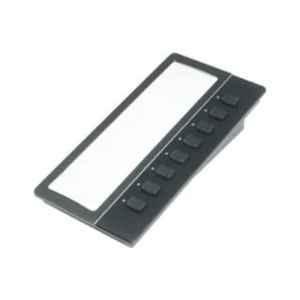
- Zone controller (for diverting audio to specific areas)
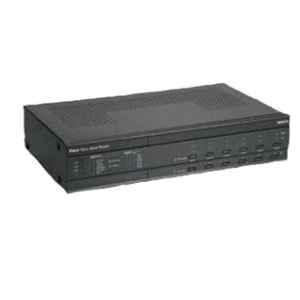
- PA amplifier
- PA speakers
What are the Common Causes for Distortions in a PA System?
In a PA system, distortions mainly occur when sound is not reproduced clearly:
- Incorrect Amplifier Power: Overloaded amplifiers can produce harsh sound and may shut down.
- Incorrect Microphone Gain: Excessive microphone gain can make the voices distorted to hear.
- Incompatible Equipment: When you have selected a microphone, zone controller, and other equipment that are not compatible or have different input and output requirements.
- Incorrect Speaker Load: Connecting several speakers may exceed the amplifier’s power delivery limit.
- Microphone Feedback: The system may produce ringing or howling noise if the microphone picks up sound from nearby speakers.
Steps to Prevent Distortions in a Multi-Zone PA System
Check The Compatibility Between Zone Controllers and Amplifiers
Before you install a multi-zone PA system, you must check if the zone controller and amplifier support each other. Different models support different configurations and connections.
You can check these points:
- Audio Connection: Make sure that the controller’s output ports support the amplifier’s input connections.
- Number of Zones: Controllers should support enough zones your project site requires.
- Amplifier Type: PA systems may need separate amplifiers or can even use multi-zone amplifiers.
- Volume Setting: Individual zones require different volumes.
- Override Background Music: Check if your device supports overriding background music for important announcements.
Compare Speaker Load for All Zones
The amplifier should support and deliver the total load that speakers need across all the zones. If the required load exceeds the device’s limit, then it can overheat or shut down. It can also produce distorted audio if it can’t drive the signals through speakers efficiently.
If your PA system uses separate amplifiers for each zone, then you should check the required load zone-wise. Install and connect all the devices to observe how the system is behaving when multiple zones operate at once.
Set Microphone Input Level Right
A microphone can work perfectly when used or checked outside the system. However, when it is connected to the installed PA system, it may produce distortions because of incorrect input levels.
Here’s what you can do to reduce the distortions:
- Connect the microphone to the right input level.
- Set a low microphone gain at the start.
- Make an announcement using the speakers at normal volume.
- Increase the microphone gain gradually with use for clear audio.
- Adjust the output volume for each zone separately as you find suitable.
What you should avoid doing:
- Increasing the microphone gain significantly for loud announcements
- Keeping the microphone close to speakers.
- Setting maximum volume for every zone.
Why Distortions Occur in Different Zones?
| Problem | Reason | What to Check |
| Distortions in all zones | Incorrect input levels or excess microphone load | Check and adjust gain setting, check total speaker load |
| Distortions in one zone | Wiring problems and wrong zone settings | Inspect the connections for the affected zones. |
| Low volume in one area | Incorrect routing or volume settings | Check controller’s configuration |
| Loud ringing during paging | Microphone feedback | Adjust the microphone placement and gain |
| Sound cuts when more zones are active | System overload or incorrect configuration | Check amplifier capacity and operation |
Check Paging Priority and Zone Routing
Before starting to use the multi-zone PA system, you should test the paging priority function and the following:
- Make announcements for all zones at once.
- Send announcements to each zone separately.
- Check that there is no distortion in background music during paging.
- Test multiple zones simultaneously for any issues.
- Set suitable volume levels across the building for every zone.
Conclusion
There can be multiple reasons why a multi-zone PA system produces distortions. Aside from picking premium-grade equipment, you should also consider checking compatibility and working efficiency between them. You should conduct essential checks to confirm that the system works best either separately or simultaneously for each zone.