



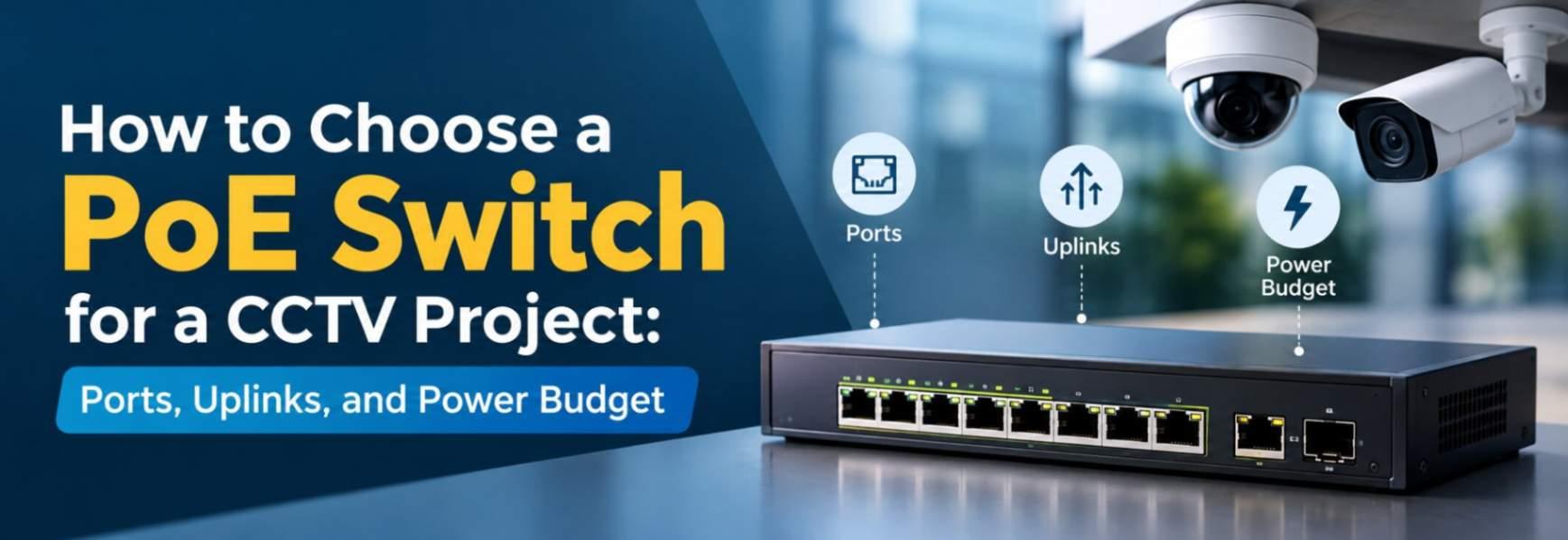
A high-performance CCTV surveillance system paired with a top-grade NVR and camera resolution can still face sudden reboots or offline camera issues with the wrong selection of a PoE switch. This device plays a crucial role in supplying power efficiently to the connected cameras and other devices in a surveillance system. With a switch of the wrong specifications or low power rating, the CCTV system may face connectivity problems or unstable video transmissions.
If you are a system integrator, installer, or reseller, choosing the right PoE switch for a CCTV system is a critical job for your clients. The process requires careful consideration of various factors such as total power budget and port capacity. This guide will help you choose the best PoE switch for your CCTV projects.
What is the Function of a PoE Switch in a CCTV Setup?
A PoE switch has multiple ports to connect the same number of cameras, allowing the devices to receive power and transmit data over the same Ethernet cable. The device reduces the need for multiple cable connections, which lowers installation costs.
Here’s the CCTV connection map:
IP Camera > Cat6 Cable > PoE Switch > Uplink > NVR
The switch detects PoE-compatible devices like CCTV cameras and supplies safe power levels while transmitting their video traffic using the same cable.
When PoE Switch vs PoE Injector vs NVR with Built-In PoE are Best Suited for?
- PoE Switch is best suited when you want centralised power and networking for multiple IP cameras.
- PoE injector is required when a few cameras require PoE connectivity.
- NVR with PoE is for standalone CCTV systems.
Step By Step Guide to Choose the Right PoE Switch for a CCTV Project
Step 1: Selecting the Right PoE Standard
Here are the different PoE standards out of which you can choose the most compatible for your camera device:
| Standard | PoE Type | Name | Maximum PSE Power per Port |
| IEEE 802.3af | Type 1 | PoE | 15.4 W |
| IEEE 802.3at | Type 2 | PoE+ | 30 W |
| IEEE 802.3bt | Type 3 | PoE++ | Up to 60 W |
| IEEE 802.3bt | Type 4 | PoE++ | Up to 90 W |
Most commonly, PoE standard or 802.3af is best for basic camera devices, more advanced devices like PTZ and or higher power cameras may require PoE+ and PoE++
Step 2: Calculate the PoE Power Budget
Check the total PoE power budget instead of considering total power it can supply per port. It will provide you more clarity related to the power requirements of all your camera devices in a system. For instance, if the switch can deliver 30W per port, it cannot deliver 30W to all 24 ports because its total power budget is 250W.
Here are the situations when camera power requirement may increase:
- IR night vision is active
- PTZ motors are moving
- Heaters or other accessories operate
- Additional illumination is enabled
Step 3: Choose the Port Count
Not just count the total number of camera devices to decide how many ports you need in a switch. Make sure to have at least 20-25% spare ports for the future.
- Cameras: 4-6
- Typical starting point: 8-port PoE switch
- Cameras: 9-12
- Typical starting point: 16-port PoE switch
- Cameras: 17-20
- Typical starting point: 24-port PoE switch
- Cameras: 21-40
- Typical starting point: 24- or 48-port, or multiple switches
Step 4: Required Uplink
The uplink carries traffic from the PoE switch toward the NVR.
Here’s how you can calculate it easily:
Aggregate traffic = Number of cameras x Average bitrate per camera
So, 24 Cameras x 10Mbps = 240 Mbps
Hence, 1Gbps uplink is enough for this camera setup.
However, a high-bitrate 4K transmission may require more traffic, which is why you must decide the uplink size after considering expected aggregate bitrate and not total camera count.
Step 5: Managed or Unmanaged PoE Switch?
You will also need to consider whether your setup requires a managed or unmanaged PoE switch. Here’s the table to understand it easily:
| Type | Features | Best For |
| Unmanaged | Plug and play | Small, simple CCTV networks |
| Smart-managed | VLAN, QoS, PoE controls, port monitoring | Small and mid-size projects |
| Fully managed | Advanced VLAN, SNMP, STP, link aggregation | Large facilities and campuses |
Additional Features to Look for Aside from the Above Major Steps:
- VLAN support
- PoE auto-recovery
- Port statistics
- QoS
- Port priority
- Surge protection for suitable installations
A Quick Selection Process for PoE Switch Based on Project Needs
| Project | Cameras | Suggested Starting Point |
| Small shop/office | 4-8 | 8-port PoE/PoE+, 120 W+, 1G uplink |
| Office/warehouse | 9-16 | 16-port PoE+, 250 W+, smart-managed |
| Large facility | 17-24+ | 24-port PoE+, higher power budget, SFP uplink |
| Campus/multi-building | 48+ | Managed PoE, SFP/SFP+ and fibre backbone |
Why Should You Choose DigiMRO for Buying PoE Switches for CCTV Projects?
DigiMRO is an authorized dealer of ELV security and safety systems, including CCTV cameras, intrusion alarms, fire alarms, and automation devices. They offer a wide range of PoE switches from the leading brands in India, guaranteeing authentic quality and consistent supply. Our platform makes bulk procurement of CCTV surveillance systems and components simple for system integrators and installers, along with resellers. We help eliminate the issues they face during or after the procurement process related to compatibility, specifications, or scalability.


