

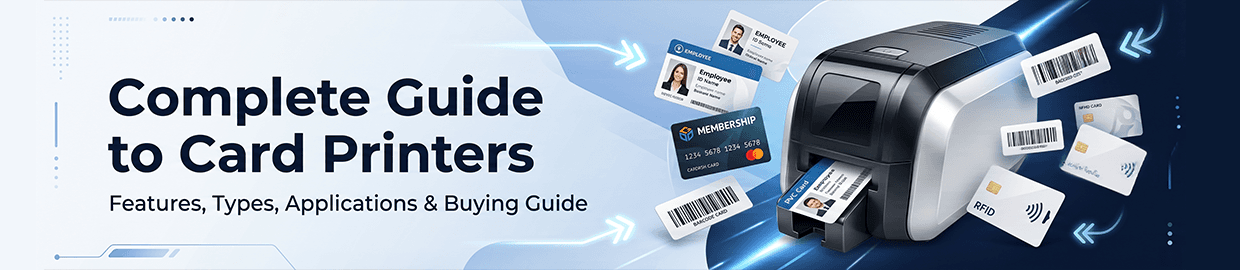
In today’s security-conscious environment, businesses and institutions require reliable identification systems to manage access, enhance safety, and improve operational efficiency. Whether you need employee ID cards, visitor badges, student IDs, membership cards, or secure access credentials, investing in the right card printer is essential.
A card printer helps organizations create professional, secure, and durable identification cards in-house, eliminating dependence on third-party vendors and enabling instant card issuance when needed.
At Digimro, you can find a wide range of card printers designed for different printing requirements, security levels, and operational scales. This detailed guide will help you understand how card printers work, their types, benefits, applications, and how to choose the right one.
What is a Card Printer?
A card printer is a specialized printing device designed to print text, photos, graphics, barcodes, QR codes, and encoded data onto plastic cards, typically PVC cards.
Unlike traditional paper printers, card printers are specifically engineered for plastic card personalization and often include advanced features such as:
- High-resolution photo printing
- Magnetic stripe encoding
- Smart card encoding
- RFID card printing
- Holographic security overlays
- Lamination capabilities
These printers are commonly used in access control and identification systems where security, durability, and professional presentation are important.
How Does a Card Printer Work?
A card printer typically operates by feeding blank PVC cards into the printer, where the card passes through one or more stages depending on the printer type.
Basic Printing Process:
1. Card Feeding
Blank cards are loaded into a hopper and fed automatically into the printer.
2. Image Transfer
The printer transfers data, images, text, or security elements onto the card surface using dye-sublimation or retransfer technology.
3. Encoding (Optional)
If required, the printer can encode data onto:
- Magnetic stripes
- RFID chips
- Contact smart cards
- Proximity access cards
4. Lamination (Optional)
Some printers apply a protective laminate for enhanced durability and security.
5. Output
The finished card is ejected, ready for immediate use.
Types of Card Printers
Choosing the right card printer starts with understanding the available types.
1. Direct-to-Card (DTC) Printers
Direct-to-card printers print directly onto the card surface.
How It Works:
The printhead applies color and monochrome panels from a ribbon directly to the PVC card.
Advantages:
- Affordable
- Fast printing speed
- Simple operation
- Low maintenance
- Ideal for routine ID card printing
Best For:
- Offices
- Schools
- Hospitals
- Visitor management systems
- Small businesses
Limitations:
- Slight white border may remain near edges
- Not ideal for uneven smart card surfaces
- Lower print quality than retransfer printers
2. Retransfer Card Printers
Retransfer printers use a different process.
How It Works:
Instead of printing directly on the card, the image is first printed onto a transparent film, then thermally fused onto the card.
Advantages:
- True edge-to-edge printing
- Superior print quality
- Better color consistency
- Works well on smart cards
- Improved durability
- Higher security capabilities
Best For:
- Government IDs
- Corporate access control
- Banking cards
- High-security facilities
- Large enterprises
Limitations:
- Higher upfront cost
- Slightly slower than DTC printers
Single-Sided vs Dual-Sided Card Printers
Single-Sided Card Printers
These printers print on only one side of the card.
Suitable For:
- Basic employee ID cards
- Temporary visitor passes
- Membership cards
- Low-information credentials
Benefits:
- Lower cost
- Faster printing
- Simpler operation
Dual-Sided Card Printers
These automatically print on both sides of the card.
Suitable For:
- Employee badges
- Smart access cards
- Student IDs
- Multi-purpose credentials
Back Side May Include:
- Barcodes
- Terms and conditions
- Emergency instructions
- Contact details
- QR codes
Benefits:
- More data capacity
- Professional appearance
- Improved functionality
Card Printing Technologies
Dye-Sublimation Printing
Uses heat to transfer dye onto the card.
Ideal For:
- Photo IDs
- Color badges
- General ID cards
Advantages:
- High-quality images
- Smooth color gradients
- Popular and reliable technology
Thermal Transfer Printing
Uses heat to transfer resin onto the card.
Best For:
- Text printing
- Monochrome cards
- Barcode printing
Retransfer Printing
Used for premium-quality secure cards.
Best For:
- Government IDs
- Access control cards
- Smart cards
Important Features to Look for in a Card Printer
1. Print Resolution
Resolution affects print clarity.
Common options:
- 300 DPI (Standard)
- 600 DPI (Higher detail)
Higher DPI is better for:
- Photos
- Small text
- Barcodes
- Fine security details
2. Print Speed
Check how many cards per hour the printer can produce.
Typical ranges:
- Entry level: 100–150 cards/hour
- Mid-range: 150–300 cards/hour
- Industrial: 500+ cards/hour
3. Encoding Options
For access control applications, encoding may be essential.
Look for support for:
- Magnetic Stripe Encoding: Used for traditional access cards.
- RFID Encoding: Used for contactless access credentials.
- Smart Card Encoding: Used in advanced security systems.
4. Connectivity Options
Choose based on how your system operates.
Options include:
- USB
- Ethernet
- Wi-Fi
- Network printing support
5. Lamination Capability
Adds protection against:
- Wear and tear
- Tampering
- Counterfeiting
- UV damage
6. Security Features
Advanced printers may offer:
- Password protection
- User authentication
- Holographic overlays
- Secure data encryption
Applications of Card Printers
1. Access Control Systems
Card printers are widely used to produce:
- Employee access cards
- RFID entry credentials
- Secure door access cards
2. Corporate ID Cards
Print:
- Staff IDs
- Contractor badges
- Departmental cards
3. Educational Institutions
Used for:
- Student ID cards
- Faculty badges
- Library cards
4. Healthcare
Hospitals use card printers for:
- Staff identification
- Patient cards
- Visitor badges
5. Hospitality
Hotels use them for:
- Guest access cards
- Staff IDs
- Membership cards
6. Government and Security
Used for:
- National IDs
- Security credentials
- Agency access cards
Benefits of Using a Card Printer
In-House Card Issuance
Print cards whenever needed.
No outsourcing delays.
Better Security
Issue secure credentials with:
- Photos
- Smart chips
- Access data
- Security overlays
Cost Savings
Reduce repeated outsourcing expenses.
Faster Operations
Instant card printing improves workflow.
Professional Branding
Create customized cards with:
- Company logos
- Brand colors
- Professional layouts
How to Choose the Right Card Printer
Consider Your Print Volume:
Low Volume
- Up to 100 cards/day
- Choose entry-level DTC printers.
Medium Volume
- 100–500 cards/day
- Choose mid-range dual-sided printers.
High Volume
- 500+ cards/day
- Choose industrial or retransfer models.
Consider Security Requirements
Basic IDs:
- Standard DTC printer
High-security credentials:
- Retransfer printer
- Lamination
- RFID encoding
Consider Card Type
Will you print:
- Standard PVC cards?
- Smart cards?
- RFID cards?
- Proximity cards?
Ensure printer compatibility.
Consider Future Expansion
Choose upgradeable models that support:
- Dual-sided modules
- Encoders
- Lamination upgrades
Common Mistakes to Avoid When Buying a Card Printer
Choosing Based Only on Price
Cheaper printers may lack:
- Security features
- Durability
- Upgrade options
Ignoring Encoding Requirements
Not all printers support smart cards.
Verify compatibility first.
Underestimating Print Volume
Low-capacity printers may struggle in high-volume use.
Ignoring Maintenance Costs
Consider:
- Ribbon costs
- Cleaning kits
- Replacement parts
Card Printer Maintenance Tips
To maximize performance:
Clean Regularly: Use approved cleaning kits.
Use Genuine Supplies: Use original ribbons and cards.
Store Cards Properly: Avoid dust and humidity.
Update Firmware: Keep printer software current.
Schedule Preventive Maintenance: Reduces downtime.
Why Buy Card Printers from Digimro?
Digimro offers reliable solutions for access control and identification needs.
Benefits include:
- Wide range of card printers
- Trusted brands
- Competitive pricing
- Access control compatible models
- Expert technical support
- Solutions for every business size
Whether you need a compact office card printer or a high-security industrial system, Digimro offers dependable options.
Final Thoughts
A card printer is not just a device for printing plastic cards—it is a critical part of identity management and access control infrastructure.
Choosing the right card printer depends on:
- Printing volume
- Security requirements
- Card type
- Encoding needs
- Future scalability
Whether you need simple employee ID printing or advanced smart card personalization, investing in the right solution improves security, efficiency, and professionalism.
Explore the full range of Card Printers at Digimro and find the ideal solution for your access control needs.