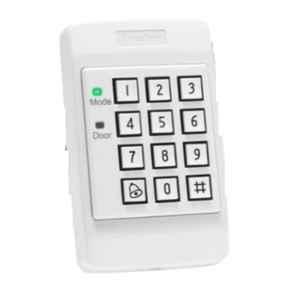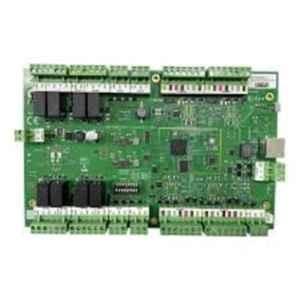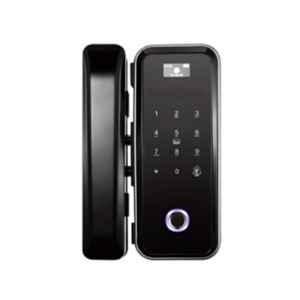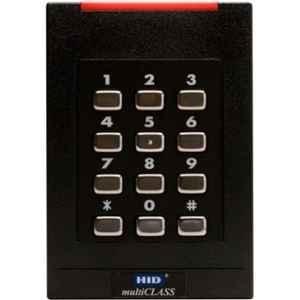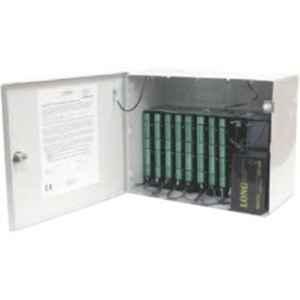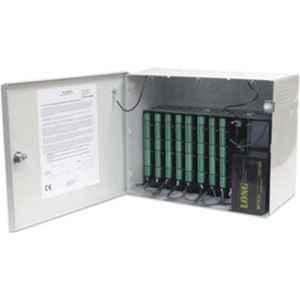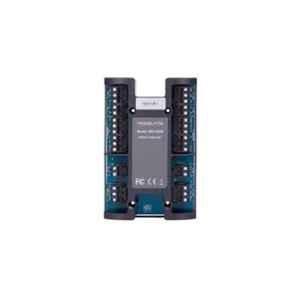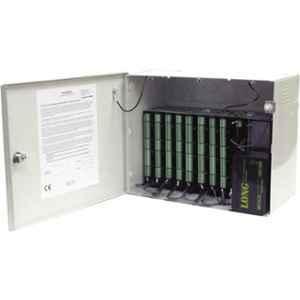


An access controller is the brain of the system, communicating with all the devices that make up a reliable access control system. Choosing a controller is not as simple as matching the number of doors to the readers and their connection point. There are various parameters that you need to check before making a selection.
A most common mistake people make is that they buy a straightforward four-door controller for a four-door security requirement. Once they carry out the installation and establish the connections, the actual requirements may vary a lot. They may find out doors need both entry and exit readers along with a higher locking power.
This blog reveals how to buy the right access controller for your system, covering all the essential factors you can’t overlook, like system architecture and scalability.
What is an Access Controller?
An access controller is a hardware device used in access control systems to establish reliable communication between readers and door hardware.
Here’s the hierarchy of the access controller in the system:
Credential > Reader > Controller > Access decision > Lock
The controller receives the signals from the door sensors and readers requesting entry or exit for a user. It communicates with the access control management software to grant or deny the user entry based on whether the scanned credential is authentic or not. There are different models available in the market, securing a single door or multiple entry points in a corporate building.
Starting With the Door Count to Buy an Access Controller
The very first step in procuring a right access controller is to check the number of entry and exit points:
| Requirement | Typical Controller Approach |
| 1 door | Single-door controller |
| 2 doors | 2-door controller |
| 4 doors | 4-door controller |
Door Count vs Reader Count: The Critical Difference
A single door does not always mean you should buy one reader.
A basic door may have:
1 door + 1 entry reader
But a higher-security door may have:
1 door + 1 entry reader + 1 exit reader
Hence, four doors could require four readers or eight.
Here’s the simple way to calculate how many readers you will need for total doors you have:
Number of doors × readers required per door = total reader requirement
Choosing the Right Reader Protocol (Weigend vs OSDP)
The next essential step is to select the right communication protocol between the reader and controller.
| Feature | Wiegand | OSDP |
| Communication | One-way – Reader → Controller | Two-way – Reader ↔ Controller |
| Physical interface | D0 / D1 signaling | RS-485 |
| Encryption | None | AES-128 Secure Channel |
| Reader supervision | No | Yes |
| Tamper/status monitoring | Limited | Supported |
| LED / buzzer control | Usually separate wires | Can be controlled through protocol |
| Wiring | More conductors | Typically 2-wire RS-485 + power |
| Multi-reader bus | Normally point-to-point | Multi-drop |
| Typical distance | 150 m / 500 ft | Up to 1,200 m / 4,000 ft, depending on installation |
| Reader diagnostics | Limited | Much richer |
| Security | Low at reader-controller link | Significantly stronger with Secure Channel |
Match the Controller to Your Reader Type
The controller must support the communication interface used by the selected reader.
Readers may support:
- RFID cards
- Smart cards
- MIFARE
- DESFire
- Mobile credentials
- PIN/keypad
- QR codes
- Biometrics / Face
- Multi-factor authentication
Check Inputs and Outputs
Door count does not tell you how many connections the controller actually needs.
For each door, check whether you need:
- Reader input
- Lock output
- Door position sensor
- Request-to-exit input
- Alarm input
- Emergency release
Check Lock Type
The controller also has to work with the selected locking hardware.
Common options include:
- Electric Dropbolt
- Electromagnetic locks(600 / 1200 LBS)
- Accessories Like Brackets(L/U/Z)
How to Choose the Right Access Controller?
Here are the simple steps to follow:
| Step | What to Check |
| 1. Count the doors | Determine how many doors require controlled access. |
| 2. Count the readers | Check whether each door needs one reader or separate entry and exit readers. |
| 3. Identify the protocol | Confirm whether readers use OSDP, Wiegand or another interface. |
| 4. Identify the credential | Decide whether you need cards, mobile credentials, PINs, biometrics or multi-factor authentication. |
| 5. Count the I/O | Include door contacts, REX devices, alarms and auxiliary controls. |
| 6. Calculate power | Account for the controller, readers, locks and connected devices. |
| 7. Select the architecture | Choose standalone, centralized or distributed control based on the site layout. |
| 8. Check software | Confirm compatibility with your access-control and integration platform. |
| 9. Plan for expansion | Allow capacity for additional doors, readers and users in the future. |
| 10. Verify the complete system | Ensure the controller, readers, locks, power supply and software work together. |
Conclusion
The right access controller should fit the complete door setup, not just the door count. Check the number of readers, reader protocol, lock type, required connections, power, software compatibility, and room for future expansion. Taking these points into account can help you choose a controller that works smoothly with the rest of your access control system.